Over this past year, blogger has updated it's interface to a fresh, clean, new look. (If yours hasn't changed, look for an "update" notice/button when you log-in).
I promise it isn't as intimidating as it looks. It's actually a lot better than it used to be...it's a lot easier to find what you're looking for.
Because I've had a quite a few questions on how to do certain things, I decided to create a basic blogger tutorial for you! Click to enlarge the photo and if you want a printable version to write on or file, email me and I'll send it your way! Hope this answers some of your questions!
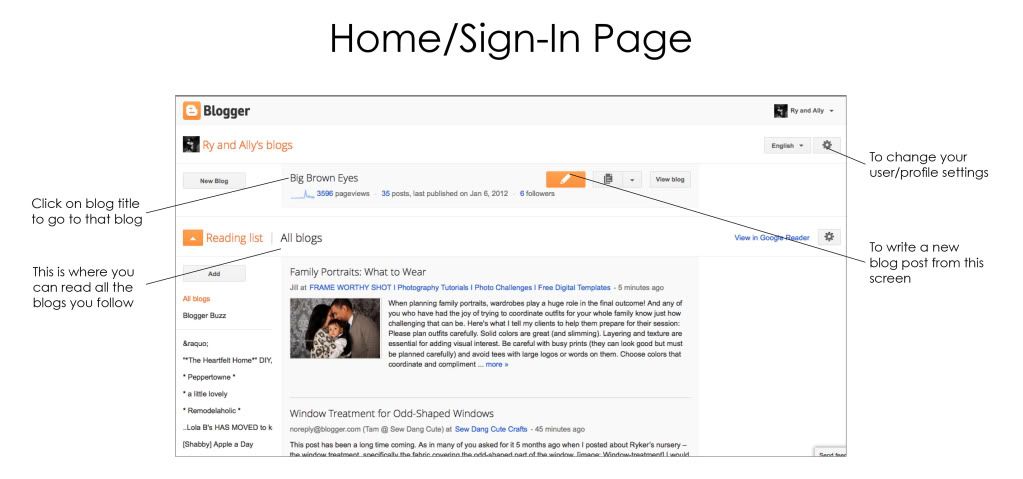
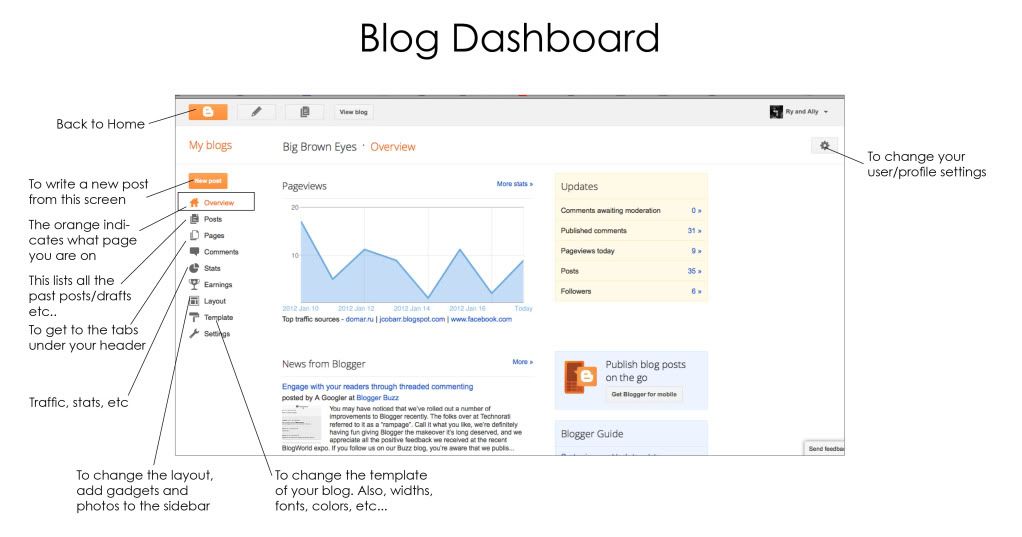
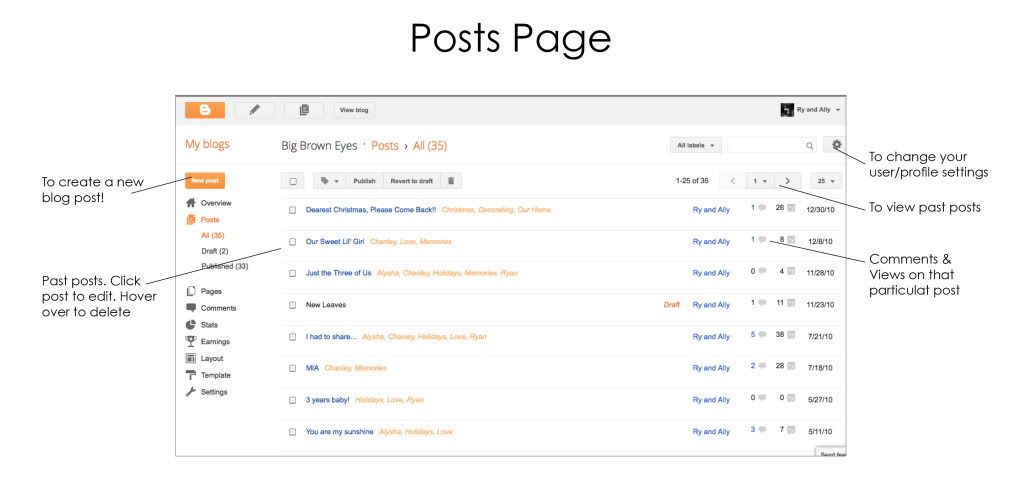
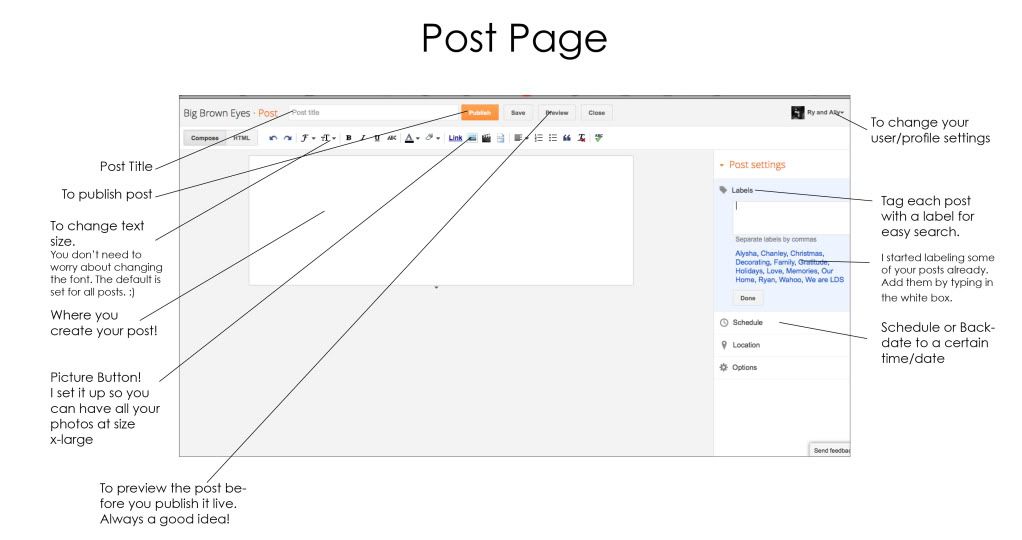
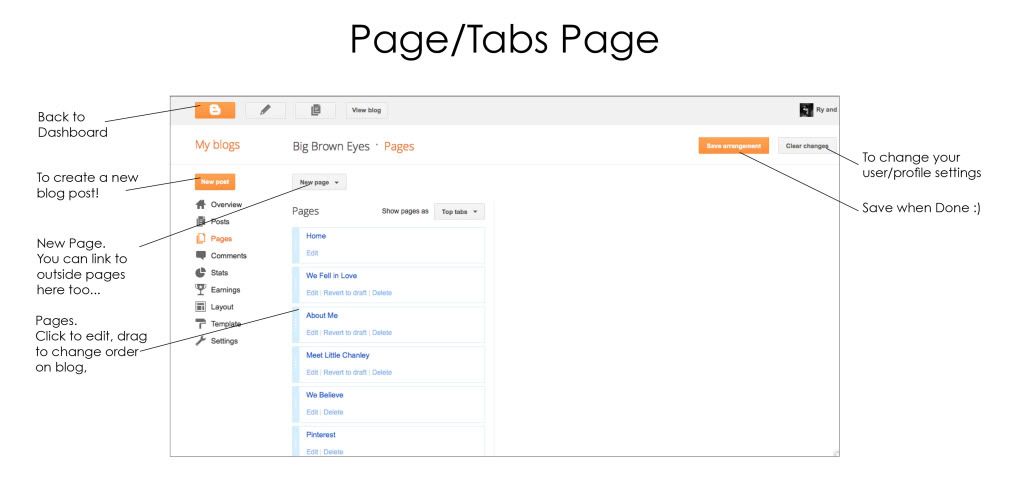

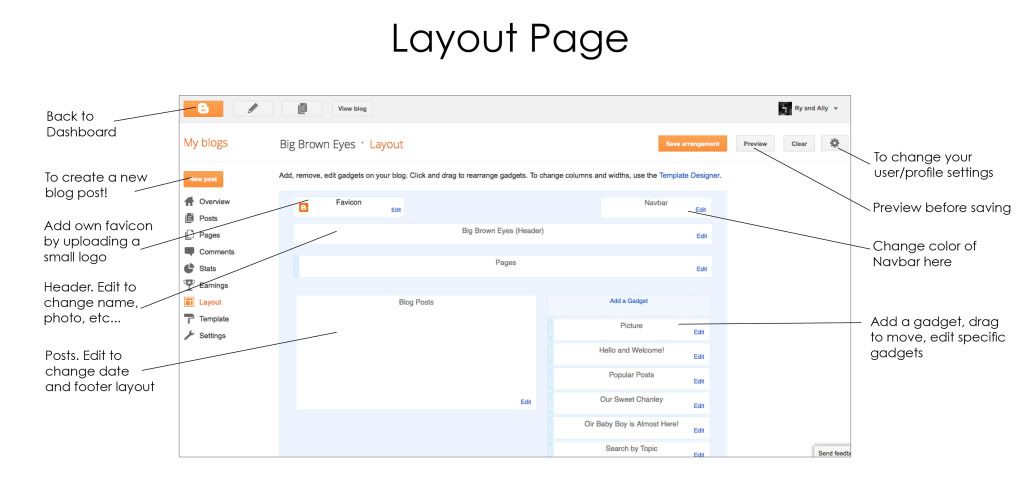
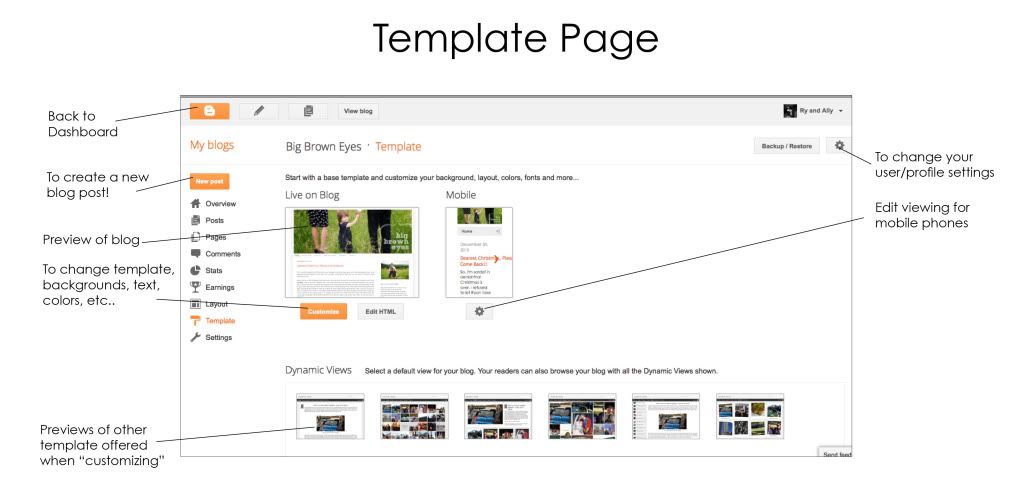

PS The best way to get familiar with the new template customizing page is to just play with it. Go ahead, click on new templates, new backgrounds, new fonts...it can't hurt to see what it looks like. It doesn't apply to your blog until you click the orange button! BUT don't click it until you're absolutely sure that's what you want!
A Few Tips to Make Your Blog Look Legit!
- Simple is Better. While it is fun to have cute backgrounds, buttons, headers, and so forth, don't get carried away. A busy looking blog can be distracting for readers. Decide what is most important and make that the focal point (it should usually be your posts.) Do this by simplifying all the other aspects of your blog.
- Font Overload. There are some pretty awesome fonts these days. I could not choose a favorite if you made me. ;) BUT that's not a reason to use them all. The general rule for fonts is to not use more than two, three at the most.
- Decide on 2 main fonts. Select the easiest to read (i.e. arial, georgia, helvetica, century gothic) for the body of your blog. Then use the other as the date, gadget, or post titles. This allows for personality, but also lets your readers actually read the text. There's nothing worse than going to a blog and giving up after the first sentence because you can't read it.
- Pictures Speak How Many Words? Photography is a beautiful thing. It captures moments, tells stories, evokes emotion, brings back memories, and much more. You don't have to have a fancy camera to take a good photo. You also don't have to have a perfect photo to blog. But in today's busy world, most readers are skimming their favorite blogs, not necessarily reading them. Photos allow readers to stay updated without spending a lot of time reading. That's why it's a good idea to include a few photos in your posts.
- Once you have those beautiful photos, make them BIG! In the template designer under "adjust widths" it allows you to widen your blog enough to make those photos big enough to see what's going on! When writing your posts, click on the photos you've uploaded and choose "x-large". I promise it will be worth it. ;)
- Tabs/Pages. This is one of my favorite aspects of the new blogger. These are the little words under my header that allows you to learn more about me, visit my facebook page, etc. They can help clean up your sidebars by taking those many photos, stories, and buttons and organizing them into categories under your tabs. It's also much easier for readers to navigate through.
- Searching. You can add the actual "search this blog" gadget, or assign labels to each post and list those. Simple searching is a big plus for readers to find more information, photos, or projects that you've accomplished.
I hope I've answered some of your questions today! Remember, simple is best when designing your blog and make those photos at x-large! :)
Leave a comment if this answered your questions, you have a question, or just want to say hi! Thanks!
>> For a few CSS codes to further design your blog, click HERE!


Extremely helpful! I was a bit scared of the new interface!
ReplyDeleteThis is such a helpful post! Thanks
ReplyDeleteEven though I haven't taken the time to sit down and learn or try these out this is a very helpful post so it shall be my favorite! Yes, it shall!
ReplyDeleteThank you some good tips.
ReplyDelete